
Video content dominates every major platform in 2025. From TikTok and Instagram Reels to YouTube Shorts and LinkedIn video posts, audiences overwhelmingly prefer watching over reading. But producing enough quality video to keep up with demand remains a challenge for most creators and businesses — and that gap between what the algorithm rewards and what most teams can realistically produce is where AI video generation has started to make a real difference.
What Is Veo 4 and Why Should You Care
Veo 4 is Google DeepMind’s latest video generation model, and it’s genuinely a step above what was available even a year ago. The motion quality is smooth, lighting behaves realistically, and — most importantly — subjects don’t morph or drift between frames the way earlier models struggled with. That temporal consistency is what makes the difference between footage that holds up in a real production context and footage that looks impressive for three seconds before something goes uncanny.
The other thing worth knowing is how well it handles detailed scene descriptions. You can specify camera movements, time of day, weather, subject behavior, and emotional register in a single prompt, and the output actually reflects those choices rather than averaging them into something generic. Earlier generation models tended to fixate on the noun in your prompt and discard the rest; Veo 4 does a much better job of treating the whole description as instruction.
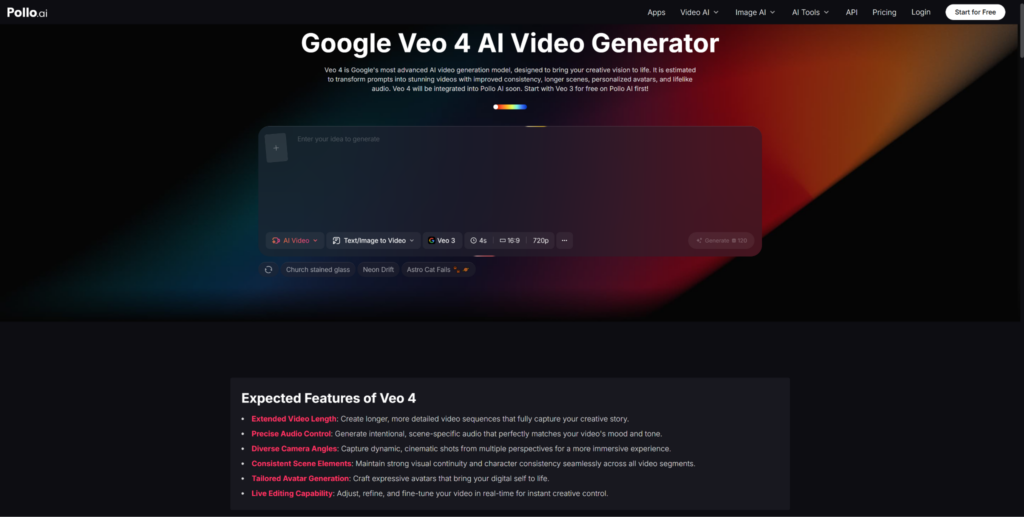
Veo 4 is accessible through Pollo AI, which puts the model inside a browser-based interface designed for people who want to generate video rather than configure infrastructure. Pollo AI handles everything on the back end — you write your prompt, choose your settings, and generate. If you’ve been curious about AI video but put it off because the technical setup looked complicated, this is the version worth trying.
Step-by-Step: Creating Your First AI Video
The process is more straightforward than most people expect, but a few deliberate choices early on will save you considerable iteration time.
Before you write anything, get clear on the shot. What’s in the frame? What’s moving, and how? What’s the lighting situation? The more specifically you can answer these before typing, the more useful your prompt will be. Vague intentions produce vague output.
Write your prompt with a clear hierarchy. Lead with the main subject and what they’re doing, then add environment, lighting, camera behavior, and mood in roughly that order. A prompt like “a woman walking through a rainy Tokyo street at night, neon signs reflecting on wet pavement, handheld camera following from behind, cinematic color grading, melancholic atmosphere” gives the model a coherent scene to build rather than a list of ingredients to guess at.
Choose your aspect ratio before generating. Vertical for TikTok and Reels, horizontal for YouTube and web embeds with a YouTube banner maker, square for Facebook and LinkedIn. Cropping after the fact always loses something — framing decisions that make sense in one aspect ratio often fall apart in another.
Review with specific criteria in mind. When your video comes back, look at motion quality, visual consistency across the full duration, and whether the mood matches your intent. If it’s close but not quite there, adjust one element of your prompt at a time. Changing everything at once makes it hard to understand what actually improved.
Practical Applications Across Industries
The range of professional contexts where Veo 4 is genuinely useful is wider than the “social media creator” framing suggests.
Marketing teams use it to build out ad concepts before committing to production budgets. Presenting stakeholders with an actual AI-generated draft — even a rough one — communicates a creative vision more clearly than a mood board does, and it tends to accelerate decision-making.
E-commerce businesses can generate product context videos that show items in aspirational settings without staging a shoot. A furniture brand can visualize the same sofa in a dozen different living room environments in an afternoon. A fashion label can capture seasonal atmosphere without booking a full production crew.
Educators and course creators get video that actually illustrates the specific concept being taught, rather than stock footage that approximately relates to the subject. When the visual matches the lesson precisely, retention improves.
Real estate professionals can generate neighborhood atmosphere and property context videos that give potential buyers an emotional connection to a location before they visit. At scale, this means every listing can have compelling video content, not just the premium ones.
Combining AI Video With Animation Tools
Raw AI-generated footage is a strong foundation, but many of the most effective finished videos layer in additional elements — music, voiceover, text treatment, transitions, or entirely different visual formats within the same piece of content.
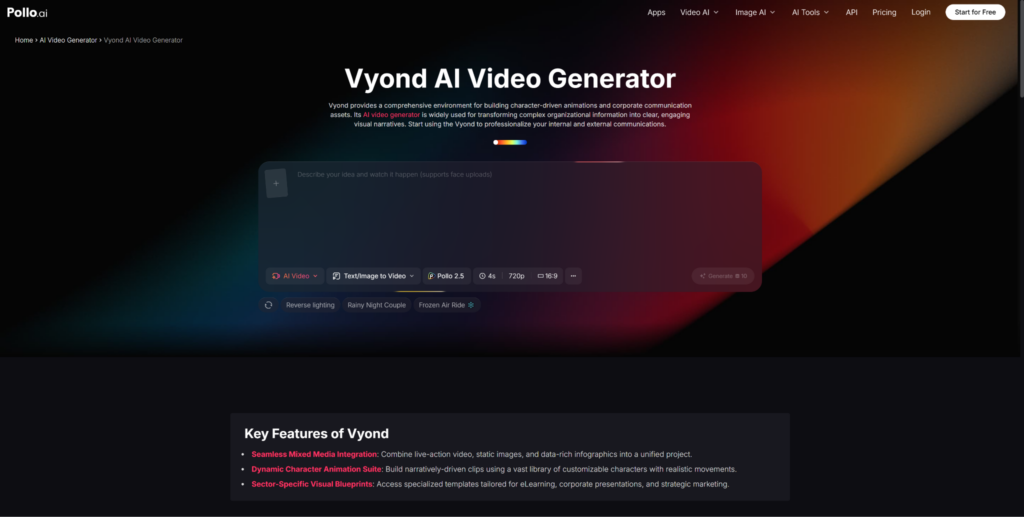
Vyond, also available through Pollo AI, is worth knowing about for projects where character-driven animated explainer content needs to sit alongside live-action style AI footage. Vyond’s particular strength is business communication and educational content — clear, character-based animation that explains processes, breaks down complex information, or walks through a workflow. Pollo AI connecting both tools means you can move between cinematic AI footage and structured animated content within the same production context, rather than managing entirely separate workflows for what are often adjacent creative tasks.
The combination works especially well for corporate training, product explainers, and presentations. Open with a Veo 4-generated scene that establishes context and emotional tone, then transition into a Vyond animation sequence that delivers the structural information. Each format does what it’s actually good at, and the result tends to be more engaging than either approach alone.
Prompt Engineering That Actually Improves Results
Video prompting differs from image prompting in one important way: you’re describing something that unfolds over time, not a frozen moment. That temporal dimension needs to be part of how you write.
Describe what changes, not just what exists. “Waves gently rolling onto a sandy beach as the sun slowly descends toward the horizon, warm golden light shifting to deep orange, camera slowly pulling back to reveal the full coastline” is more useful than “a sunset at the beach” because it gives the model a direction to move in across the clip’s duration.
Camera movement language has a real effect on output. “Slow dolly forward,” “steady tracking shot,” “gentle pan from left to right,” “static wide angle” — these aren’t decoration. They communicate specific cinematographic intentions and the model uses them to make choices about motion dynamics and framing.
Keep each generation to a single coherent scene. Veo 4 handles individual scenes well; prompts that try to describe multiple sequential scenes or a narrative arc within one generation tend to produce muddled results. Generate scenes separately and cut them together in post if you’re building something multi-part.
Emotional and atmospheric descriptors — “serene,” “tense,” “joyful,” “mysterious,” “energetic” — affect pacing, lighting choices, and motion dynamics in ways that aren’t immediately obvious but show up clearly in the output. Use them deliberately.
Who Gets the Most Out of This
Creators maintaining a consistent posting schedule across multiple platforms benefit from the generation speed more than anything else. Multiple concepts in an afternoon, rather than days per video, changes what’s realistically sustainable.
Small businesses and startups without dedicated video teams can produce content that previously required agency relationships or freelance budgets. More importantly, they can iterate without financial risk — trying five different approaches to see what resonates costs almost nothing compared to traditional production.
Marketing agencies can add rapid video concept prototyping to their creative process without proportionally increasing production overhead. For clients who need to see rather than imagine, that capability has genuine value.
Freelance creators and solopreneurs probably see the biggest proportional shift. The ability to generate professional-quality footage on demand changes the competitive landscape for anyone who previously had to either outsource video production or go without it.
The prompt skills you develop now — specificity, structure, iterative refinement — will transfer directly to future model versions. The fundamentals don’t change; the ceiling on what those fundamentals can produce just keeps rising.