
Designing a room doesn’t have to be difficult anymore. Thanks to AI, you can now turn a simple idea or a photo of your space into realistic room designs in just a few minutes.
Whether you’re redecorating your home, planning a renovation, staging a property, or looking for inspiration, AI interior design tools can help you explore different styles much faster than traditional design software.
Some tools are built specifically for interior design, while others are more general AI creative platforms that work just as well for creating room concepts and visualizations.
In this guide, we’ll compare three of the best AI interior design tools in 2026: Krea AI, RoomGPT, and REimagine Home.
Quick Comparison
|
Tool |
Best For |
Input |
Free Plan |
|
Krea AI |
Overall AI design and room visualization |
Text, images |
✅ Yes |
|
RoomGPT |
Quick room makeovers |
Room photos |
✅ Yes |
|
REimagine Home |
Home staging and redesign |
Room photos |
✅ Yes, but limited |
What Are AI Interior Design Tools?
AI interior design tools use artificial intelligence to create room designs from text prompts or photos.
They can help you:
- Redesign a room
- Try different interior styles
- Stage empty homes
- Plan renovations
- Create mood boards
- Visualize design ideas before making changes
Instead of spending hours creating mockups, AI can generate design ideas in seconds.
Krea AI
Summary
Krea AI is one of the most complete AI creative platforms available today. While it isn’t built only for interior design, it gives you everything you need to create realistic room concepts, edit images, improve quality, and even create videos—all from one place.
Key Features
- AI image generation
Create room designs from text prompts or reference images.
- Real-time generation
See new results almost instantly while adjusting your prompt.
- Image editing
Change furniture, colors, lighting, and other details without starting over.
- Image upscaling
Improve image quality up to 22K resolution.
- Asset manager
Keep all your projects organized.
- Access to multiple AI models
Generate images using several leading AI models from one platform.
Why It Stands Out
Unlike many interior design tools, Krea doesn’t stop after generating an image. You can edit it, improve it, create different versions, and even turn it into a video without leaving the platform.
|
Pros |
Cons |
|
Free plan available |
Some advanced features require a paid plan |
|
Very easy to use |
|
|
Great image quality |
|
|
Powerful editing tools |
|
|
Supports multiple AI models |
|
Best for: Anyone who wants an all-in-one AI platform for creating and improving interior design ideas.
RoomGPT
Summary
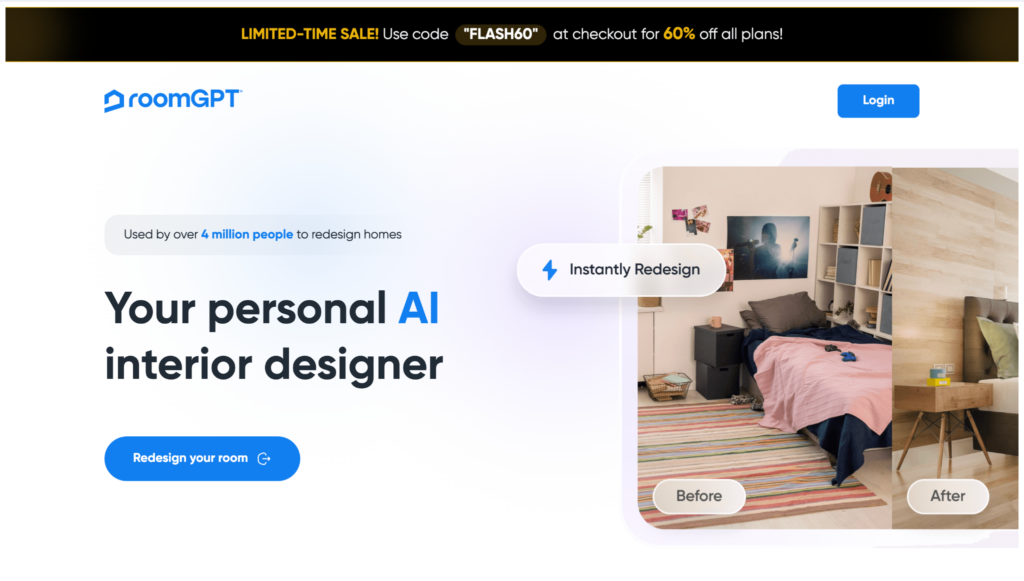
RoomGPT is made specifically for interior design. You simply upload a photo of a room, choose a style, and the AI creates a redesigned version in seconds. It’s one of the easiest tools for getting design inspiration.
Key Features
- Photo-to-design generation
Upload a room photo and generate a new look.
- Multiple interior styles
Choose from modern, Scandinavian, minimalist, industrial, and more.
- Fast results
Generate new room ideas in seconds.
- Simple interface
Easy enough for anyone to use.
|
Pros |
Cons |
|
Very beginner-friendly |
Limited editing options |
|
Fast room redesigns |
Mainly focused on existing rooms |
|
Lots of interior styles |
Fewer creative tools than larger AI platforms |
|
Free version available |
|
Best for: Homeowners looking for quick room makeover ideas.
REimagine Home
Summary
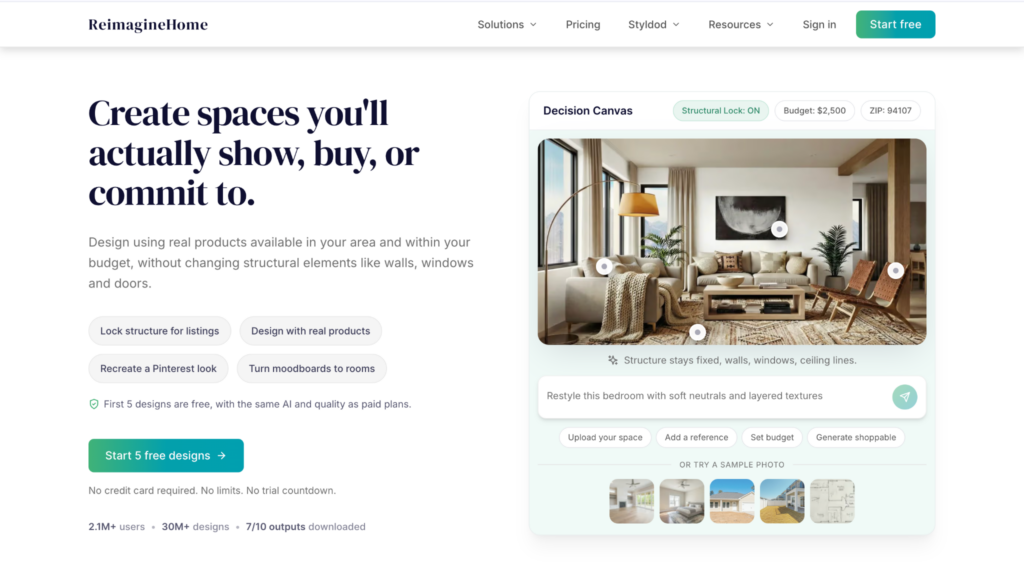
REimagine Home focuses on redesigning and staging homes using AI. It’s especially popular with real estate professionals because it can virtually furnish empty rooms, redesign existing spaces, and even generate landscaping ideas.
Key Features
- Virtual staging
Add furniture to empty rooms.
- Room redesign
Try different interior styles using existing photos.
- Exterior design
Visualize outdoor spaces and landscaping.
- Object removal
Remove furniture or clutter before redesigning.
- Real estate tools
Create marketing images for property listings.
|
Pros |
Cons |
|
Great for virtual staging |
Less useful for general creative work |
|
Easy photo-based workflow |
Some features require a paid plan |
|
Good for real estate marketing |
|
|
Supports multiple room styles |
|
Best for: Real estate professionals, home stagers, and interior designers.
How to Choose an AI Interior Design Tool
When choosing an AI interior design tool, think about what you need most.
- How you want to start – Some tools work from text prompts, while others use room photos.
- Editing options – It’s helpful if you can make changes without generating a new image every time.
- Image quality – Better images are useful for presentations and client work.
- Free features – Check what’s included before upgrading.
- Your workflow – Pick a tool that fits whether you’re decorating your home, designing for clients, or creating real estate visuals.
Conclusion
AI interior design tools are a fun and easy way to experiment with different styles before making any real changes.
If all you need is a quick room makeover, tools like RoomGPT and REimagine Home do a great job. But if you want more creative freedom and a platform you can keep using for other projects too, Krea AI is the one we’d recommend. It gives you much more than room design, so it’s a tool you won’t outgrow anytime soon.