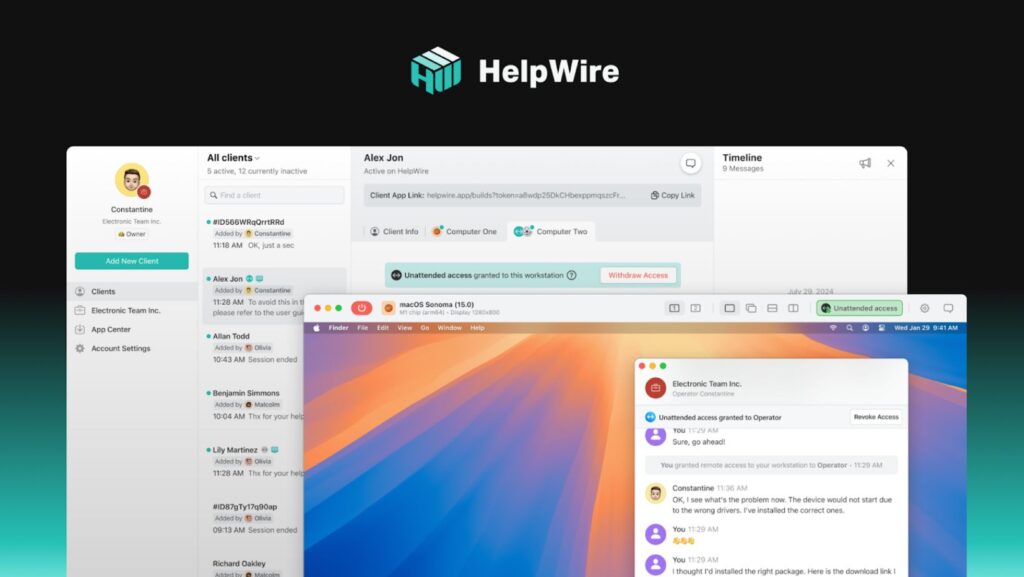
Remote access software has become a critical tool for businesses that rely on remote workforces, IT support teams, or need to troubleshoot issues on distant computers. With the right solution, companies can provide secure, real-time assistance to users, no matter where they are. However, with so many remote access solutions available, choosing the best one for your business needs can be overwhelming.
In this article, we’ll compare three popular remote access tools, HelpWire, LogMeIn Pro, and ScreenConnect, focusing on their cost-effectiveness, ease of use, features, and performance. Each solution offers unique strengths, but which one truly delivers the best value? Let’s dive in.
What is Remote Access Software?
Remote access software allows users to connect to and control a computer or network remotely, making it an invaluable tool for businesses, IT teams, and support agents. Key functionalities usually include:
- Unattended Access: Connecting to managed machines even when no one is on the remote side — useful for maintenance, updates, and after-hours support.
- Multi-Monitor View: Viewing and navigating multiple remote displays smoothly, which matters a lot for designers, finance teams, and IT admins working with complex setups.
- Cross-Platform Support: The ability to connect across different operating systems (for example, Windows and macOS), helping teams support mixed-device environments without friction.
- File Transfer: Moving files between the local and remote machines.
- Built-in Communication Tools: Features like chat or video that facilitate communication during remote sessions.
These solutions not only help streamline IT support but also enhance productivity by enabling access to resources from anywhere.
Overview of the Tools
HelpWire: A modern remote access solution designed for cross-platform environments, HelpWire enables seamless remote desktop access, file transfer, and built-in chat functionality. It is ideal for teams supporting both Windows and Mac devices, ensuring smooth operations across different operating systems.
LogMeIn Pro: A well-established remote access tool known for its robust feature set, including file transfer, remote desktop access, and the ability to host multiple simultaneous sessions. It’s primarily used by businesses that require scalability and secure access.
ScreenConnect: Now part of the ConnectWise suite, ScreenConnect offers remote desktop access and collaboration tools for IT professionals. It’s popular for its flexibility and customizability, especially in terms of user branding and integration.
Key Features Comparison
Unattended Access
- HelpWire: Supports unattended scenarios for ongoing IT assistance and maintenance, which is especially useful when devices need support outside business hours.
- LogMeIn Pro: Includes unattended access as a core capability and is commonly used for persistent remote management.
- ScreenConnect: Strong unattended access options, often favored by IT teams and MSPs managing many endpoints.
Multi-Monitor View
- HelpWire: Works well in multi-display setups, letting support teams handle real-world workstation environments without constantly switching contexts.
- LogMeIn Pro: Supports multi-monitor workflows, which is important for power users and business workstations with two+ screens.
- ScreenConnect: Solid multi-monitor handling and flexible viewing options, especially useful for professional support workflows.
Cross-Platform Support
- HelpWire: Designed for hybrid OS environments, with support across Windows, macOS, and Linux, making it a strong fit for mixed-device teams.
- LogMeIn Pro: Reliable for mainstream business environments, but overall platform flexibility can be more limited depending on the use case and endpoints.
- ScreenConnect: Well-known for broad cross-platform compatibility, making it a practical choice for larger organizations with diverse device fleets.
File Transfer Capabilities
- HelpWire: Supports secure copy-paste file transfer between connected devices with minimal lag, making it convenient for quick file sharing during live support sessions and real-time collaboration.
- LogMeIn Pro: Includes a robust file transfer system, but users have noted occasional lag when transferring large files.
- ScreenConnect: Provides file transfer features, though some users report a less intuitive interface than HelpWire.
Built-in Chat and Communication Tools
- HelpWire: Includes a built-in chat for quick, in-session messaging – handy for guiding users, confirming actions, or sharing short instructions without switching apps.
- LogMeIn Pro: Supports in-session communication features (including chat), which can be useful for support workflows – especially when you need to coordinate steps with the end user.
- ScreenConnect: Offers chat during remote sessions as well, helping technicians communicate clearly with users while troubleshooting, particularly in IT support and helpdesk scenarios.
Security Features
- HelpWire: Strong security protocols, including AES-256 encryption and two-factor authentication.
- LogMeIn Pro: Known for its strong security features, including SSL encryption and identity management.
- ScreenConnect: Provides solid encryption and security, though some users find its security settings less user-friendly than other options.
Performance and Usability
Ease of Setup
- HelpWire: Quick installation with intuitive setup processes, requiring minimal configuration.
- LogMeIn Pro: Setup is slightly more involved due to its enterprise-level features.
- ScreenConnect: Offers flexible setup options, but may require more time and technical knowledge to fully configure.
User Interface and Experience
- HelpWire: Simple, clean UI with an emphasis on usability, making it easy for users of all technical levels to navigate.
- LogMeIn Pro: Provides a professional interface, but can be somewhat cluttered for new users.
- ScreenConnect: Highly customizable, but the user interface can feel overwhelming, especially for those unfamiliar with remote support tools.

Reliability and Speed
- HelpWire: Delivers quick connection times and stable performance, even in lower-bandwidth environments.
- LogMeIn Pro: Known for consistent performance, but can be slower in low-speed connections.
- ScreenConnect: Generally reliable, but performance can vary depending on the system configuration.
Cost-Effectiveness
Pricing Models
- HelpWire: Currently offers a free Standard plan (tech preview) with 1 remote connection at a time, unlimited attended devices, unlimited unattended devices, unlimited team members, and unlimited remote session duration.
- LogMeIn Pro: Uses a tiered subscription based on how many computers you can access — shown as monthly pricing but billed annually (e.g., $35.30/month for up to 2 computers, $85.70/month for up to 5 computers, and $155.129/month for the next tier on the pricing widget).
(Note: LogMeIn’s pricing display can vary by region/currency selection on the page.) - ScreenConnect: Remote Support plans are priced per license/technician tier, with annual billing options like One: $30/month (billed annually), Standard: $45/month per concurrent tech (billed annually), and Premium: $55/month per concurrent tech (billed annually). Monthly-billed options are higher (e.g., Standard $59/month, Premium $69/month).
Value for Money
- HelpWire: Provides excellent value with its free offering, which includes a full suite of features. The Business plan, once available, will be priced for scalability, making it a cost-effective choice for businesses that need flexibility without compromising functionality.
- LogMeIn Pro: Offers solid features but can be costly for small to medium businesses due to its per-user pricing model.
- ScreenConnect: A great option for larger enterprises, but its pricing may be steep for smaller businesses, making it less cost-effective for smaller teams.
Free Trials & Plans
- HelpWire: Currently offers full access with no strings attached as part of its tech preview. Future paid plans will also offer flexible options, ensuring a balance between value and pricing.
- LogMeIn Pro: Offers a 14-day free trial, but some features may be restricted during the trial period.
- ScreenConnect: Offers a free trial, but its setup can be more complex compared to HelpWire and LogMeIn Pro.
Pros and Cons of Each Solution
- HelpWire
Pros: Easy to use, affordable pricing, strong cross-platform support, built-in chat.
Cons: Limited advanced enterprise features compared to competitors. - LogMeIn Pro
Pros: Established tool, excellent security, multiple session management.
Cons: Expensive for small businesses, complex interface. - ScreenConnect
Pros: Highly customizable, great for large enterprises, strong integration options.
Cons: Can be difficult to set up, higher cost.
Use Cases and Suitability for Different Businesses
- HelpWire: Ideal for small to medium businesses, teams that require cross-platform support, or remote teams that need an intuitive, cost-effective solution.
- LogMeIn Pro: Best for larger organizations that require multiple concurrent sessions and high-end security features.
- ScreenConnect: Perfect for IT professionals and managed service providers who need a customizable remote access tool.
Conclusion
Choosing the right remote access software depends on your specific business needs. If you’re looking for a cost-effective, easy-to-use solution, HelpWire provides strong value with its cross-platform support, file transfer, and built-in chat. LogMeIn Pro may be ideal for enterprises needing robust security and scalability, while ScreenConnect is the go-to choice for IT professionals looking for customizability. Each of these tools has its strengths, so consider what’s most important for your team when making a decision.